

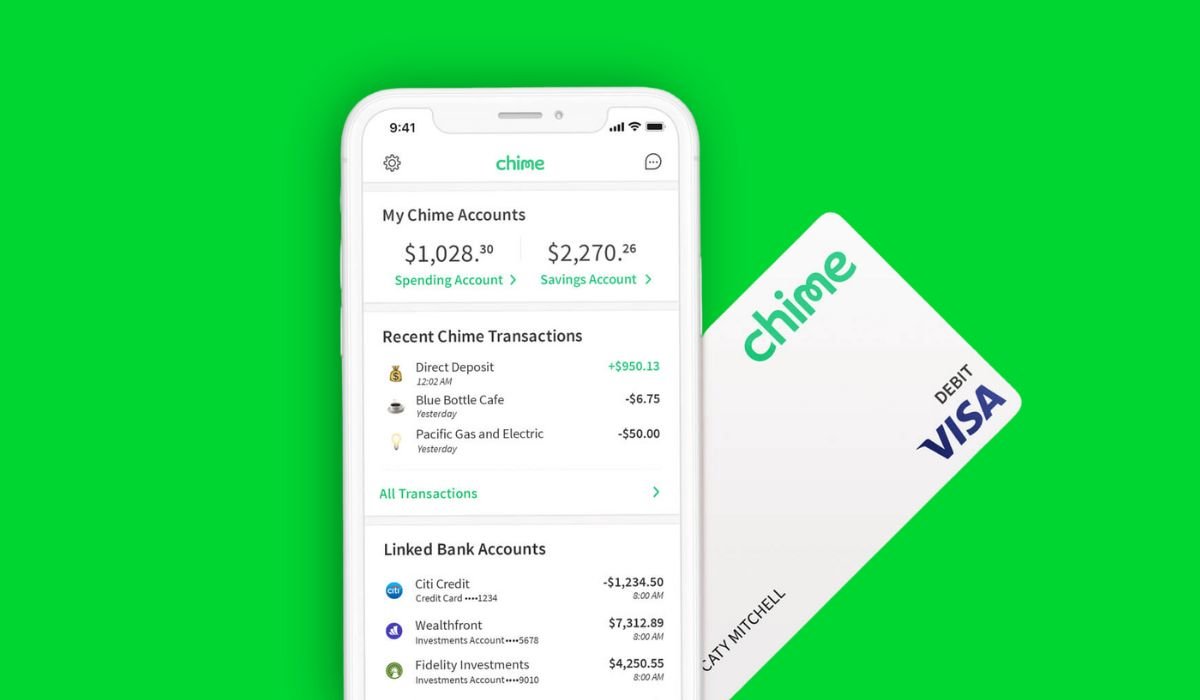
Managing your money shouldn’t cost you extra – especially when adding funds to your account. If you’re a Chime user, you’re in luck! Chime partners with over 50,000 ATMs and over 75,000 retail locations like Walgreens, CVS, and Walmart, making it easy to reload your Chime card without paying any fees.
But with so many options, knowing where to go and how to avoid potential transaction limits is important. This article will explore the best ways to reload your Chime card without incurring fees.
Ready to keep more money in your pocket? Let’s get started.
Key Takeaways
- Chime partners with thousands of retail locations like Walgreens and Duane Reade allowing for fee-free cash reloads to your Chime account.
- You can conveniently reload your Chime card without fees at over 50,000 ATMs within Chime’s network.
- When reloading your Chime card, be aware of transaction limits, which can vary by location and retailer.
Fee-Free Chime Card Reload Options
Chime partners with several retailers for fee-free card reloads. These partnerships give you convenient, no-cost ways to add cash to your account.
Walgreens or Duane Reade
Walgreens and Duane Reade offer fee-free Chime card reloads. Find a location near you. Add cash to your Chime Spending Account. Reload your card at the register. The cashier will handle the transaction.
Daily deposit limits range from $20 to $1,000, varying by retailer. Check your in-app Cash Map for specific limits at each location.
Your money, your way – that’s the Chime difference.
Consider these options for convenient, no-cost Chime reloads. Check for participating stores in your area.
CVS
CVS stores accept cash reloads for your Chime Card. Find a CVS near you to add money to your account. Cash reloads at CVS carry a fee of $3.95 per transaction. Consider this cost when choosing your reload method.
Walmart
Walmart stores offer fee-free Chime card reloads. Find a Walmart MoneyCenter or customer service desk. Provide your Chime card and cash to the cashier. They will process the reload, and funds typically appear instantly.
This easy process makes Walmart a convenient option. Using Chime’s ATM network provides another fee-free way to reload.
7-Eleven
7-Eleven stores offer a convenient way to reload your Chime card without fees. Add cash directly to your card at participating 7-Eleven locations.
Also read: The 12 Best Cash Advance Apps That Work With Chime
Using Chime’s ATM Network
Using Chime’s ATM network lets you deposit cash at thousands of locations—read on to learn more.
Finding in-network fee-free ATMs
Chime’s network eliminates ATM fees at over 50,000 ATMs nationwide. Locate these ATMs through the Chime app or website.
- Chime App: Open the app, select ‘ATM Map.’ View nearby in-network ATMs.
- Chime Website: Visit chime.com, navigate to ‘ATM Map.’ Enter your location, find nearby fee-free ATMs.
How to use ATMs for deposits
Locate a convenient, in-network ATM using the Chime app or website. Depositing cash into your Chime Spending Account is straightforward at these ATMs.
- Insert your Chime debit card into the ATM.
- Enter your PIN.
- Select “Deposit” on the ATM screen.
- Choose “Checking” as the account type for your deposit.
- Insert the cash you want to deposit into the designated slot.
- Verify the deposit amount displayed on the screen.
- Confirm the deposit and wait for the ATM to process the transaction.
- Take your receipt.Keep it for your records.
Also read: What Bank Does Chime Use? A Comprehensive Guide
Partner Retail Locations
Chime partners with numerous retail locations nationwide for convenient, fee-free cash deposits—read on to learn more.
Identifying Chime Cash Deposit Partners
Chime partners with retail locations nationwide for cash deposits to your Chime account.These partnerships provide convenient, fee-free options for managing your finances.
- Retailer Network: Deposit cash at over 75,000 retail locations.
- Participating Retailers: Find partners like Walgreens, CVS, Walmart, and 7-Eleven.
- Store Locator: Use the Chime app or website to locate participating stores near you.
- Cashier Deposit: Inform the cashier you want to make a Chime cash deposit.
- Provide Account Information: Give the cashier your Chime debit card or account number.
- Cash Deposit: Hand over your cash to the cashier.
- Confirmation: Get a receipt as proof of your deposit.
- Funds Availability: Funds are typically available within minutes of deposit.
Nationwide Availability
Chime partners with national retail chains. These partnerships ensure convenient, fee-free reloading options. Find these partners across the US. Look for MoneyGram, Western Union, or Visa ReadyLink locations.
Use the Chime app’s location finder for nearby options. This widespread availability makes managing your money easier. Now, let’s explore how to reload your Chime Card.


